Project Report
arXiv-tracker: An Automatic Summary Radar for LLM Papers
Summary
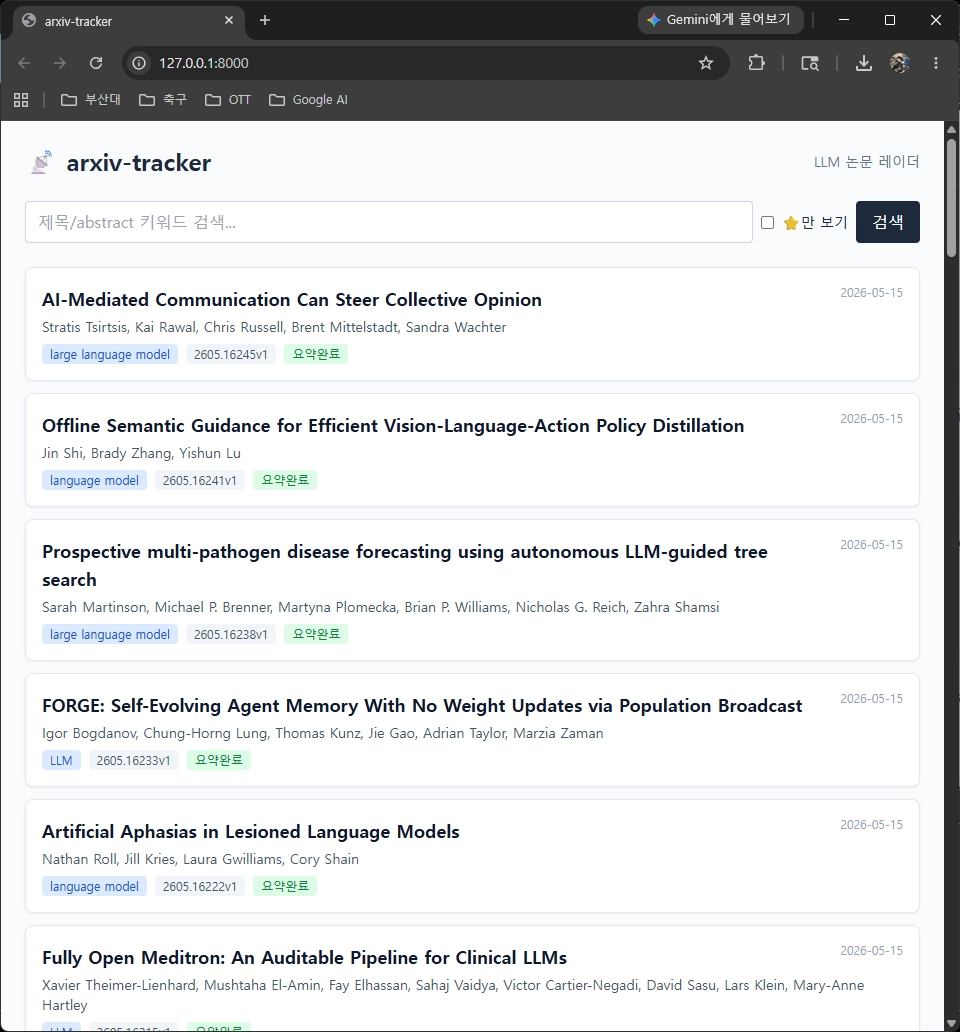
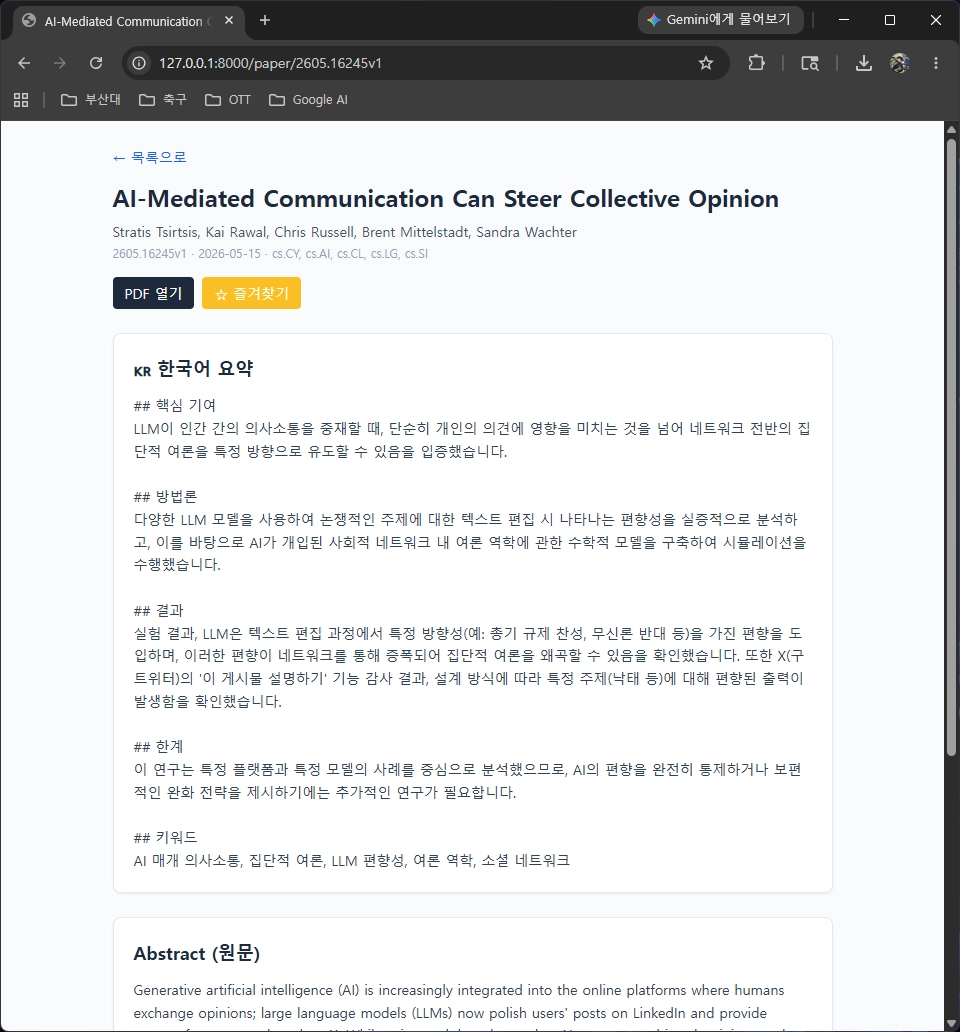
This is a personal paper radar that automatically collects LLM-related papers uploaded to arXiv every day by keyword, generates five-section Korean summaries with the Google Gemini API, and provides search, favorites, and detail views through a FastAPI-based web UI.
Keywords arXiv, Gemini, FastAPI, Claude Code
1. Project Introduction
Fast-moving topics such as LLMs, RAG, agents, and alignment make it easy to miss recent papers. This project collects the latest papers based on target keywords and arXiv categories, structures and summarizes their abstracts in Korean, and organizes them into a research dashboard that can be checked every day.
1.1 Main Features
-
Automatic collection: fetches recent papers from arXiv
categories
cs.CL,cs.LG, andcs.AIusing keyword-based filtering. -
Korean summaries: uses
gemini-3.1-flash-liteto generate five sections: key contribution, methodology, results, limitations, and keywords. - Persistent storage: stores paper metadata and summaries in SQLite, with search and favorite support.
- Web interface: provides list and detail pages through FastAPI and a Tailwind-style UI.
1.2 Rationale for LLM Selection
I chose gemini-3.1-flash-lite as the summary backend. The
free quota in Google AI Studio is sufficient for personal daily tracking,
its response speed is fast for short abstract-level inputs, and its Korean
sentence quality is also stable.
The model setting was separated into the summary_model value
in config.yaml. It can be switched to a Pro-series model if
needed. During development, I used Claude Code as a code-writing,
refactoring, and debugging tool, separating the roles of the runtime LLM
and the development tool.
2. Claude Code Techniques Used
I used the custom slash command, skills, subagent, and hook features required by the assignment. Repetitive tasks were reduced into commands, while tasks that needed rules, such as summarization and evaluation, were separated into a dedicated skill and agent.
2.1 Custom Slash Commands
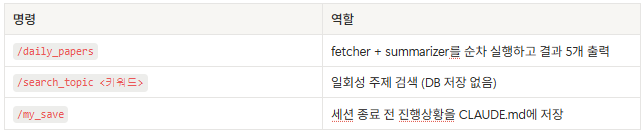
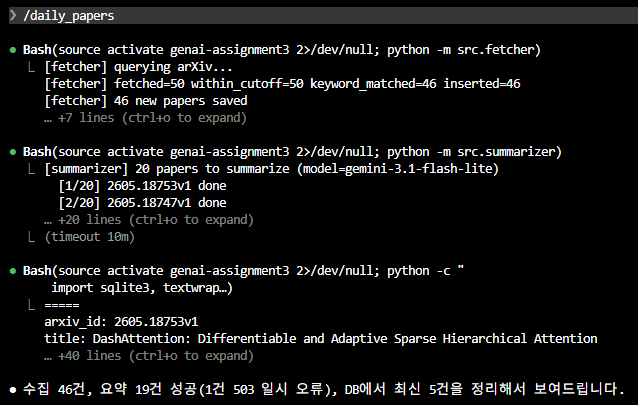
I created frequently used workflows as slash commands under
.claude/commands/. Instead of manually running the fetcher and
summarizer every time, /daily_papers handles collection and
summarization in one command.
2.2 Skills: paper-summary
I defined the Korean summary format in
.claude/skills/paper-summary/SKILL.md. When summarizing a
paper abstract, it follows the order of key contribution, methodology,
results, limitations, and keywords so that the
SYSTEM_PROMPT delivered to Gemini and the internal Claude Code
summary format remain consistent.
2.3 Subagent: paper-evaluator
The subagent defined in .claude/agents/paper-evaluator.md
evaluates papers on a 1-to-10 scale by weighted averaging of interest
fit, novelty, practicality, and potential impact. Its key advantage is
saving context by separating the evaluation task from the main session.
2.4 Hook: PreCompact
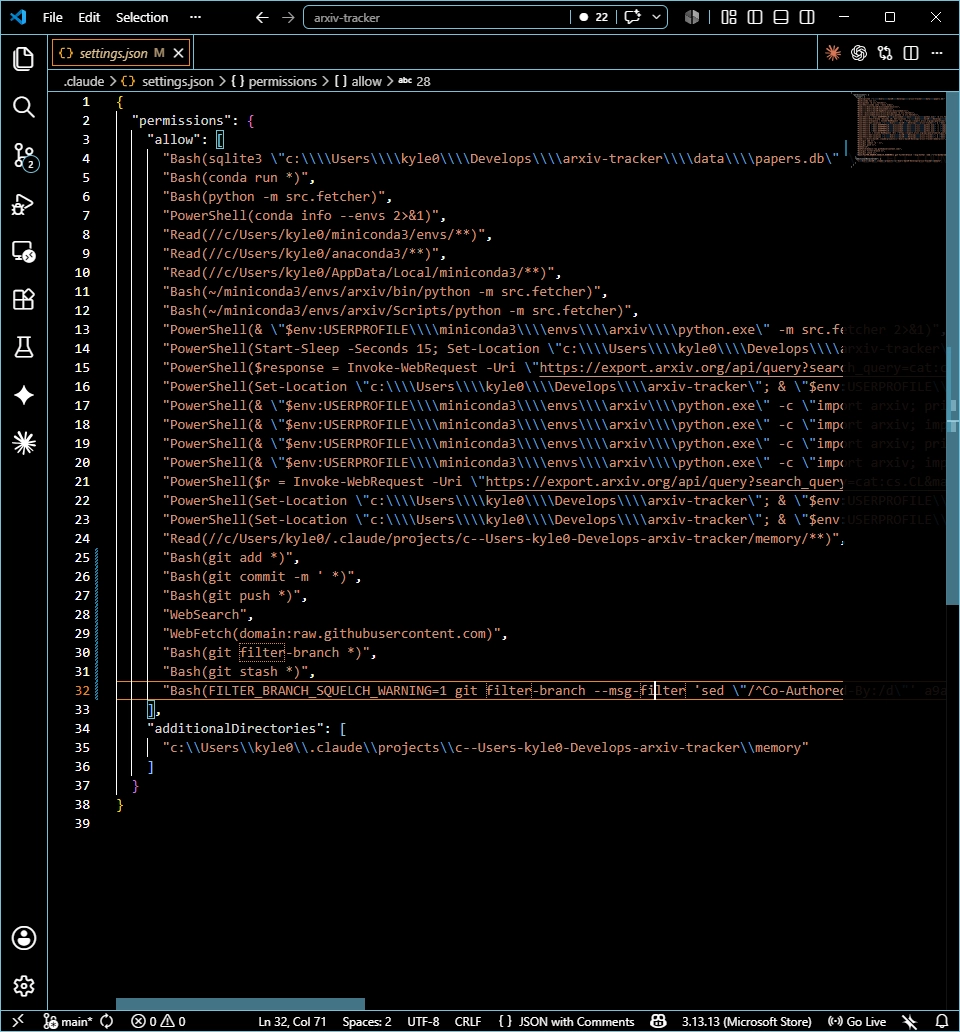
I configured a PreCompact hook with the natural-language command
/update-config so progress is backed up to
CLAUDE.md before context is automatically compacted. This is a
safeguard to prevent losing context during long sessions.
3. Usage
3.1 Installation
The Gemini API key is issued from Google AI Studio and injected into the
project environment through .env.
conda create -n arxiv python=3.11 -y
conda activate arxiv
pip install -r requirements.txt
echo "GEMINI_API_KEY=AIza..." > .env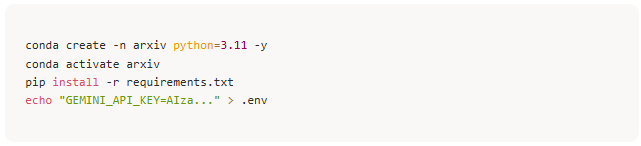
3.2 Running
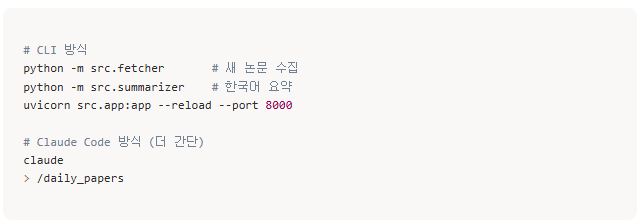
# CLI mode
python -m src.fetcher       # collect new papers
python -m src.summarizer    # Korean summaries
uvicorn src.app:app --reload --port 8000

# Claude Code mode
claude
> /daily_papers
After running the app, open http://localhost:8000 in the
browser. On Mondays, when weekend papers should be included, set
days_back in config.yaml to 3.
4. Lessons Learned and Limitations
-
Combining commands and skills: Within an explicitly
invoked command such as
/daily_papers, the implicit rules of the paper-summary skill are applied together, stabilizing the quality of repetitive work. -
Low barrier to hooks: It was convenient to configure
hooks in natural language, but for debugging I also needed to learn how
to read and edit
.claude/settings.jsondirectly. - Separating development tools and runtime models: Gemini handled the actual summaries, while Claude Code handled Gemini SDK call implementation and debugging. This structure worked naturally.
-
Adapting to library changes: Since
arxivv4.0.0 internally usesrequests, I had to overridearxiv._USER_AGENTto avoid 429 blocking. In recent Starlette versions, theTemplateResponsecall format also separatesrequest=as a keyword argument. - Limitation: The current version summarizes only abstracts, so it is limited for deeper analysis. I plan to add PDF download and full-text summarization in the future.